




[Quick start](#quick-start) · [Docs](docs/) · [Issues](https://git.evandro.dev.br/evandro/OllaHub/issues)
## What it is
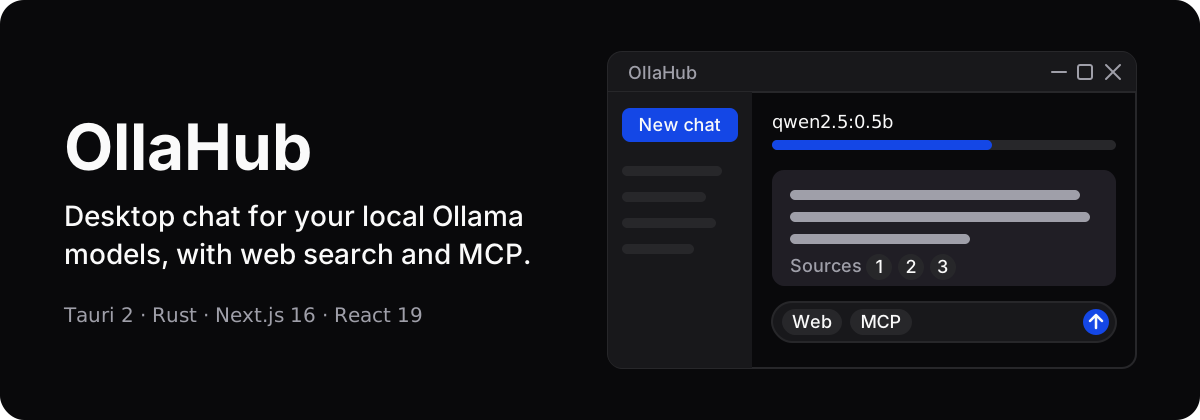
OllaHub is a desktop chat app for the models you run with [Ollama](https://ollama.com). On first run it scans your hardware, recommends a model and downloads it. After that it chats with streaming, keeps history in a local SQLite database, and can add context from web search, MCP tools and scheduled tasks. The UI is Next.js inside a Tauri 2 window, and a Rust backend does the work.
OllaHub is a client, not a model runtime. It talks to the Ollama API (default `http://localhost:11434`, configurable in Settings), tries to start Ollama when it is installed but stopped, and can download the Ollama installer when it is missing.
## Why use it
- **Local by default.** Prompts go to your own Ollama, and chats live in `ollahub.db` in the app data directory, with FTS5 full-text search. Besides downloads (models, the embedding model, updates), web search is what reaches the internet.
- **Web answers ranked on your machine.** Headless Chrome scrapes Google, Bing, Yahoo, DuckDuckGo and Startpage (order configurable), then local embeddings (`all-MiniLM-L6-v2` on ONNX Runtime) rank and prune the pages, with a BM25-like fallback when the embedding model is unavailable. A deep-research mode runs planning → searching → aggregating → validating → formulating.
- **More than a chat box.** MCP servers run as child processes configured in `mcp_config.json`, their tools can be called from the chat, and cron tasks (search and summarize, notification, custom prompt) keep running in the background.
**When not to use it:** if you want a finished, tested product (version `0.1.0`, no test suite), a model runtime of its own, or a server you can run without a desktop.
## How it works
- **Frontend** (`app/`, `components/`, `hooks/`, `lib/`, `store/`): Next.js 16 with `output: 'export'`, React 19, Tailwind 4, Radix UI and Zustand. It calls the backend through Tauri `invoke` and events.
- **Backend** (`src-tauri/src/`): `lib.rs` holds the commands for chat (`chat_stream`), models, the Ollama lifecycle, sessions, MCP, search, tasks, export and the installer. `db.rs` handles SQLite, `web_scraper.rs` the search engines, `embeddings.rs` the ranking, and `scheduler.rs` the cron tasks stored in `tasks.json`.
- **Models:** list, delete and pull with progress, install a local `.gguf` file, and get a recommendation for your hardware.
- **System monitor:** CPU and RAM stats plus GPU VRAM, usage and temperature. GPU detection uses `wmic` and `nvidia-smi` on Windows and `lspci` on Linux.
- **Updates:** the Tauri updater checks automatically. Its endpoint in `src-tauri/tauri.conf.json` points to a GitHub Releases `latest.json`.
More notes: [`docs/updater-setup.md`](docs/updater-setup.md) (signing keys and updater) and [`docs/style-guide.md`](docs/style-guide.md) (UI spacing, radii, accessibility).
## Quick start
No release is published on this repository yet, so build it locally. You need Node.js 20, pnpm 8, a stable Rust toolchain and the [Tauri 2 prerequisites](https://tauri.app/start/prerequisites/) (the versions come from the CI workflow). On Ubuntu the workflow also installs `libwebkit2gtk-4.1-dev libssl-dev libayatana-appindicator3-dev librsvg2-dev patchelf`. Ollama is needed at runtime.
```bash
git clone https://git.evandro.dev.br/evandro/OllaHub.git
cd OllaHub
pnpm install
pnpm tauri dev # starts `pnpm dev` (Next.js on http://localhost:3000) inside the Tauri window
pnpm tauri build # runs `pnpm generate-changelog && pnpm build`, then bundles the installer
pnpm lint # ESLint
pnpm bump-version # patch | minor | major, optional --commit
```
The workflow [`.github/workflows/release.yml`](.github/workflows/release.yml) builds `msi` (Windows), `dmg` (macOS, Apple Silicon and Intel) and `AppImage` (Linux) on pushes to `main`, `master` and `develop`, and publishes release `v